Generating a reel
Source Videos: Flowstate pulls from the watched videos in your workflow. You will see a list of eligible videos at the top of the page. If a video is missing, check that its status in the Videos tab shows as Watched. Reel Title: Give the reel a custom name. Leave this blank and Flowstate will generate a default name for you. Context Prompt: Describe the reel you want to create. Be specific about the moments you are looking for, such as “best goals from the second half” or “every time the speaker mentions the product roadmap.”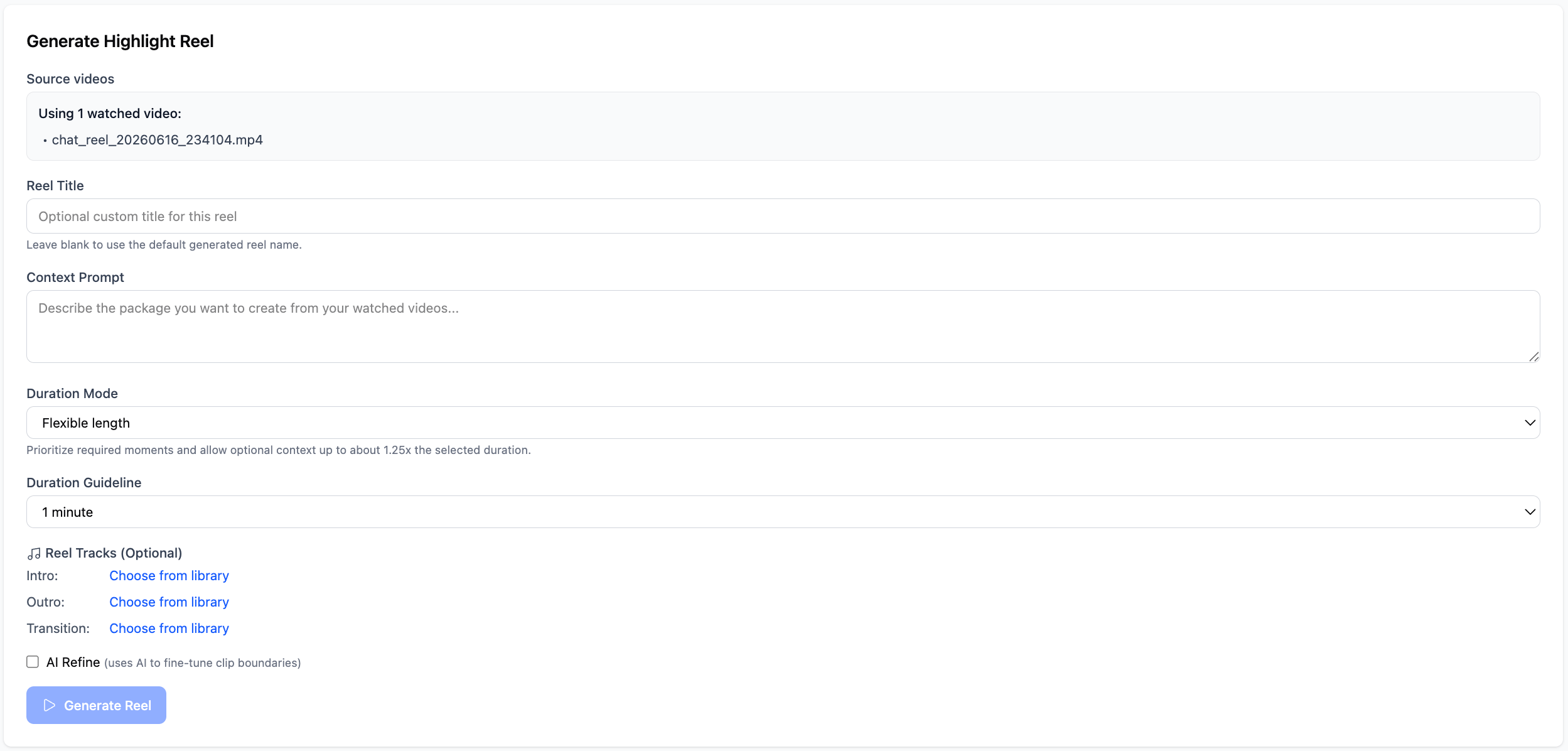
- Flexible length: Prioritizes the best moments and allows the reel to run up to 1.25x the target duration if needed.
- Target length: Keeps the reel closer to the exact duration you set.
Reviewing a reel
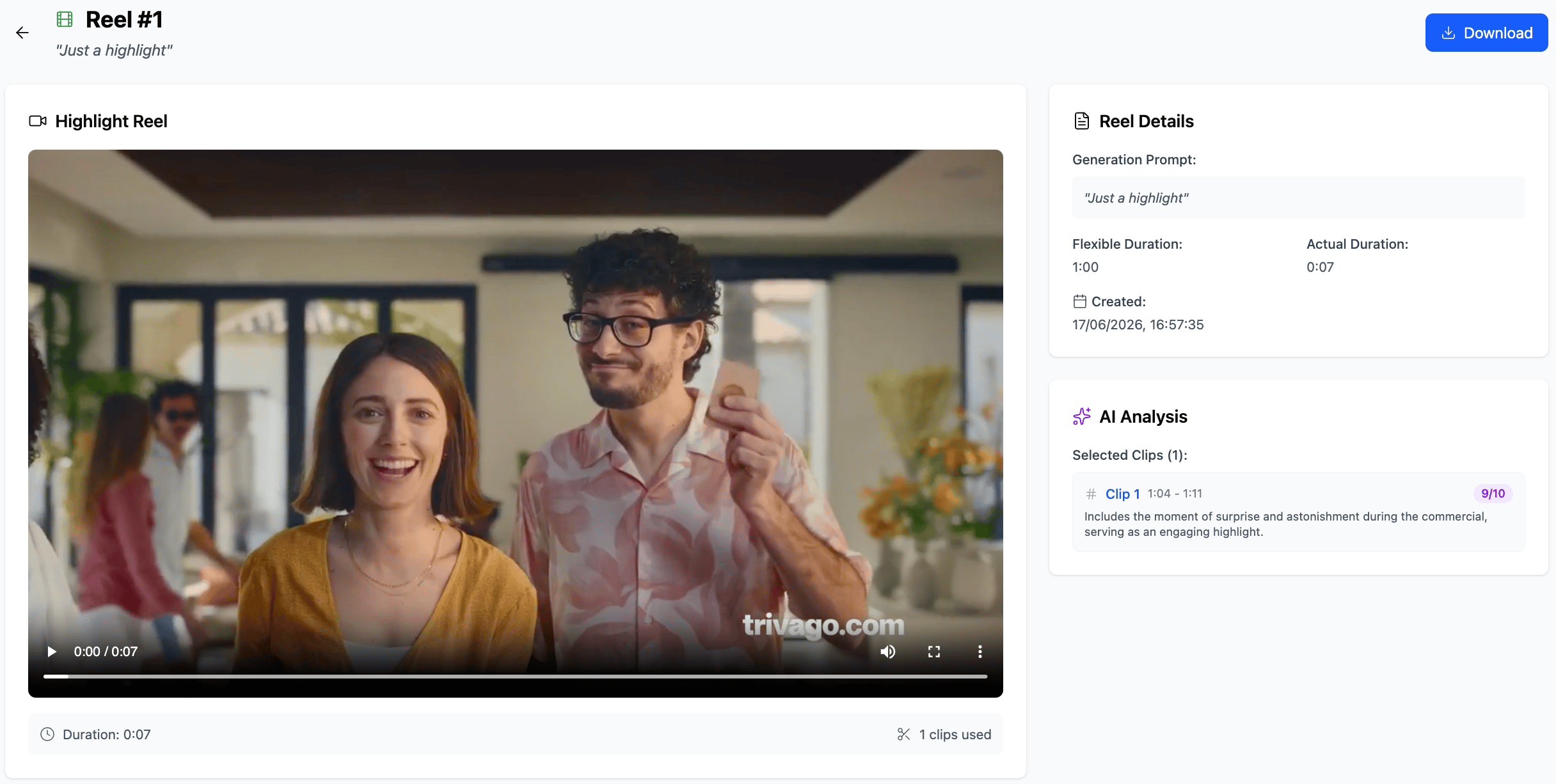
Click a reel in the Generated Reels list to open it. Each reel page shows: