
Capture is where you connect a live stream and start a session. Each session is a single capture run with its own stream URL, chunks, and output.

Starting a New Session

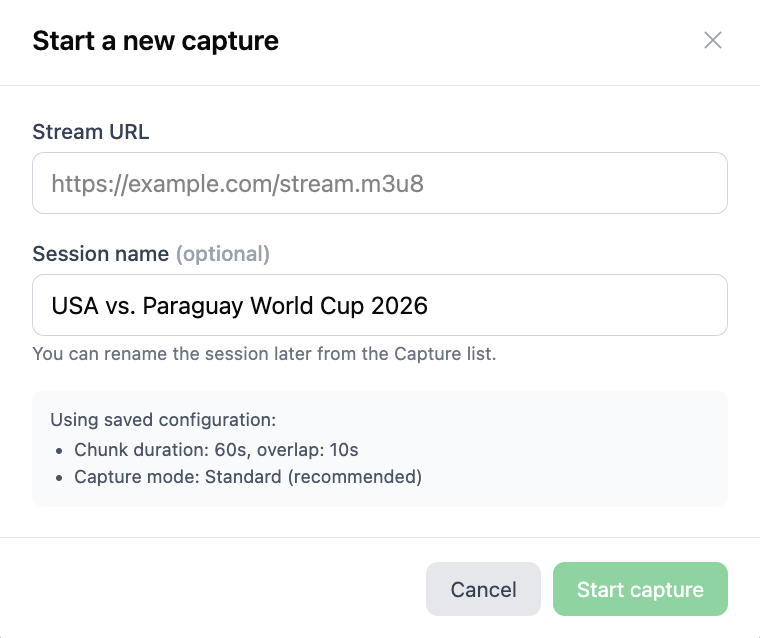
Click New session and paste your stream URL into the Stream URL field. The stream should be a live HLS or SRT feed, for example https://example.com/stream.m3u8
Screenshot 2026 06 18 At 10 04 28
The window that appears shows a summary of your saved configuration: chunk duration, overlap, and capture mode. If anything looks wrong, cancel and update it in Configure first. Click Start capture. Flowstate connects to the stream and begins processing it, chunk by chunk, using your Watcher Instructions.

Review Output

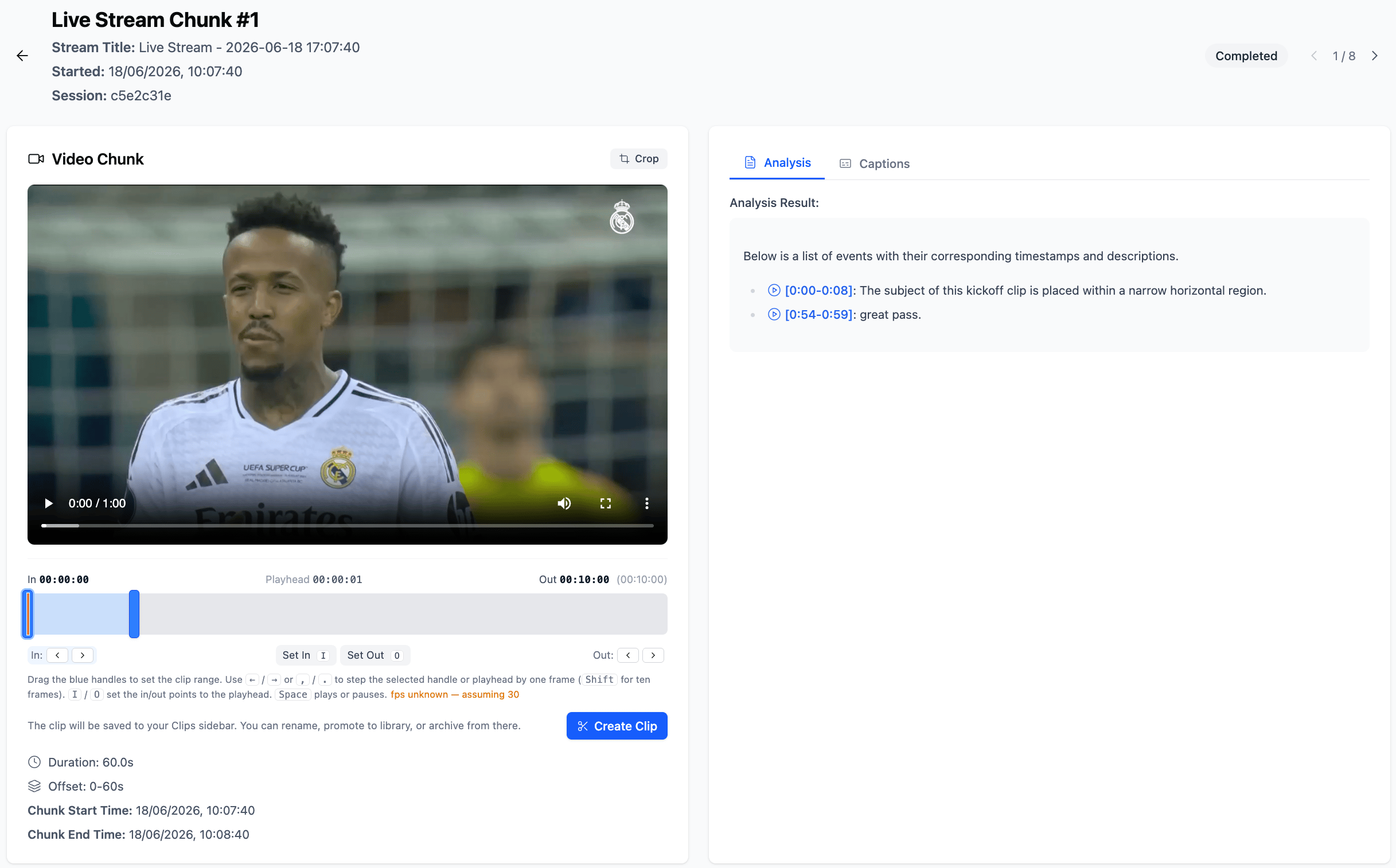
As the stream runs, output appears in the session in real time. Each processed chunk is clickable. Open a chunk to:
Screenshot 2026 06 18 At 10 14 48
  • Read the analysis output based on your instructions
  • See which moments the Watcher highlighted
  • Create clips directly from the chunk view
The longer the stream runs, the more chunks accumulate, giving you a growing, timestamped record of everything the Watcher found.