
Create lets you generate a highlight reel from a captured session. Select a session, describe what you want, and Flowstate packages the relevant moments into a single downloadable video. To pull moments from multiple sessions into a single reel, use Chat instead.

Generating a reel

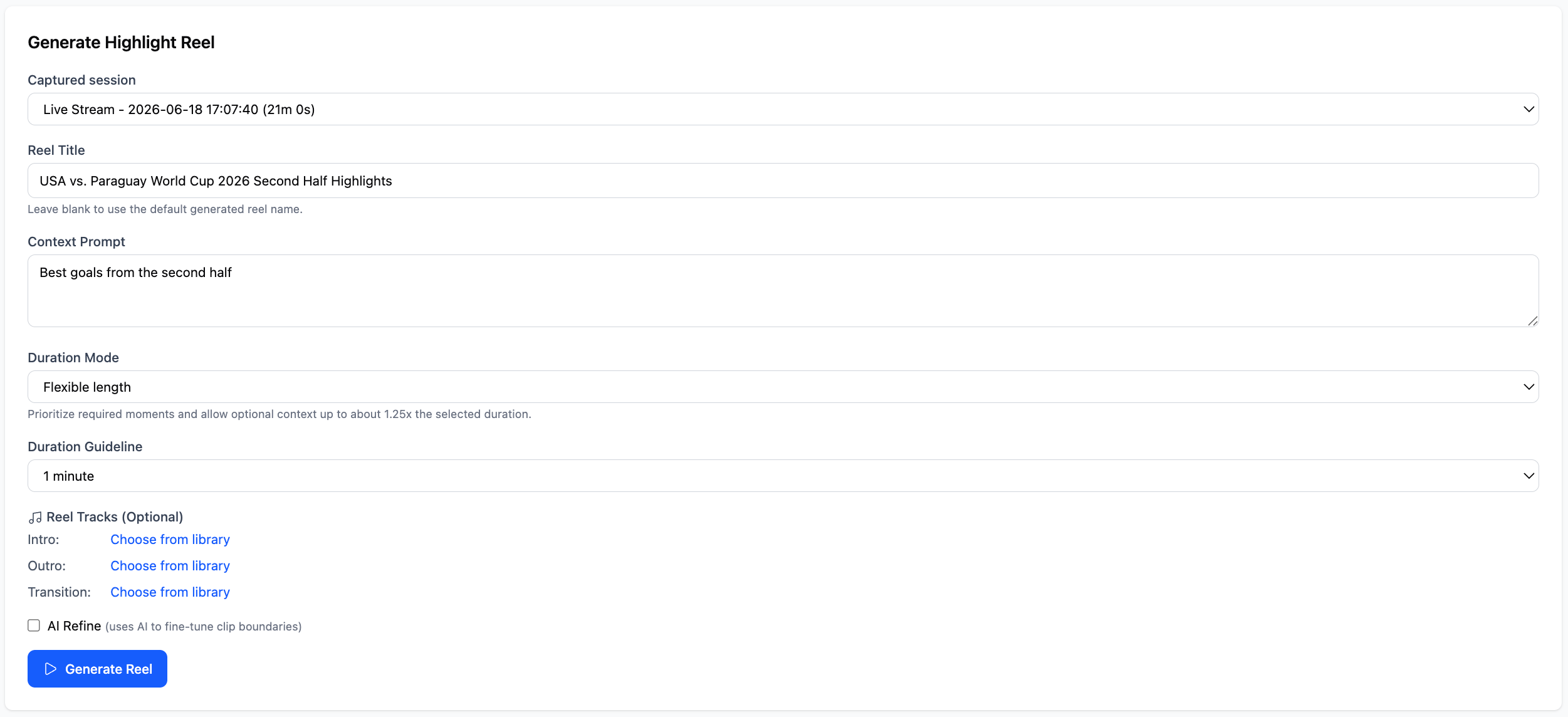
Captured session: Select the session you want to pull from. Only sessions that have been processed by the Watcher are eligible. Context Prompt: Describe the reel you want to create. Be specific about the moments you are looking for, such as “best goals from the second half” or “every time the speaker mentions the product roadmap.”
Screenshot 2026 06 18 At 10 30 56
Duration Mode: Choose how strictly Flowstate should stick to your target length.
  • Flexible length: Prioritizes the best moments and allows the reel to run up to 1.25x the target duration if needed.
  • Target length: Keeps the reel closer to the exact duration you set.

Duration Guideline: Set your target reel length. The default is 1 minute. Reel Tracks (optional): Add intro, outro, and transition audio by selecting tracks from your library. AI Refine (optional): Check this to let Flowstate fine-tune clip boundaries for a cleaner result. When everything looks right, click Generate Reel. Your finished reel appears under Generated Reels. Click the reel to watch it back, review which clips were selected, and download it.
Screenshot 2026 06 18 At 10 31 44